CD and DVD cover designer

Available for Windows

CrackCover™

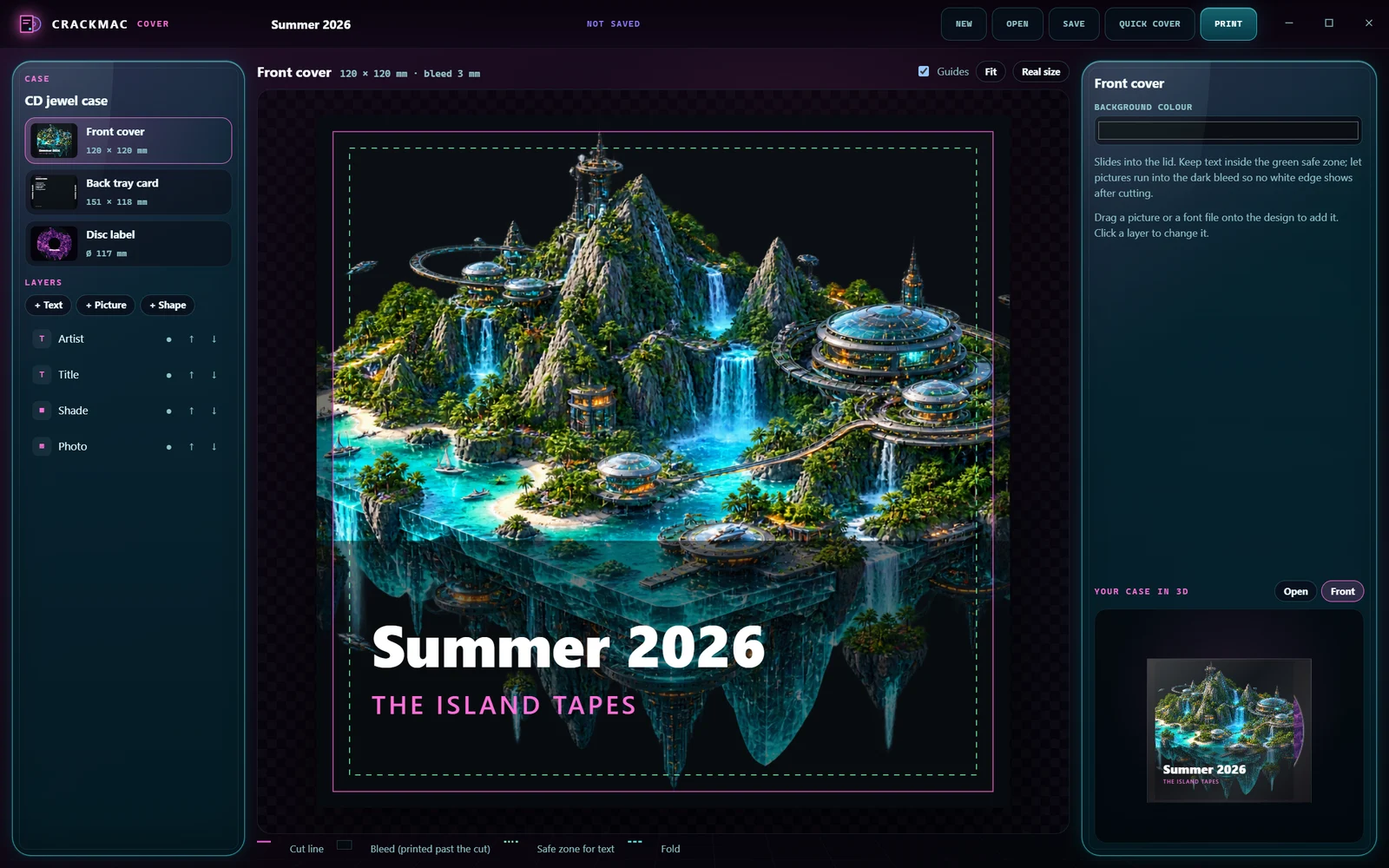
Design covers for your own CDs, DVDs and Blu-rays and print them so they fit the case to the millimetre, with a live 3D case while you work.

Version0.2.0Runs onWindows 10 or 11PriceFree
Front coverWindows 10 or 11
CrackCover interface
CrackCoverAvailable for Windows

What it is

CrackCover makes covers for the discs you burn yourself: mixtapes, home videos, holiday photos and backups.

Pick a case, drop in a photo and a title, and every part is designed at once: the front, the back with the tracklist, the spines and the disc label. Point it at a folder of music and the tracklist fills itself. Pick one of six styles, turn the case in 3D, save a picture of it, then print. CrackCover prints at exactly the real size with cut and fold marks, and after one printer check it lands to the millimetre.

What it does

Everything CrackCover can do.

24 features as of version 0.2.0, grouped by what you want to do. What changed lately →

Cases

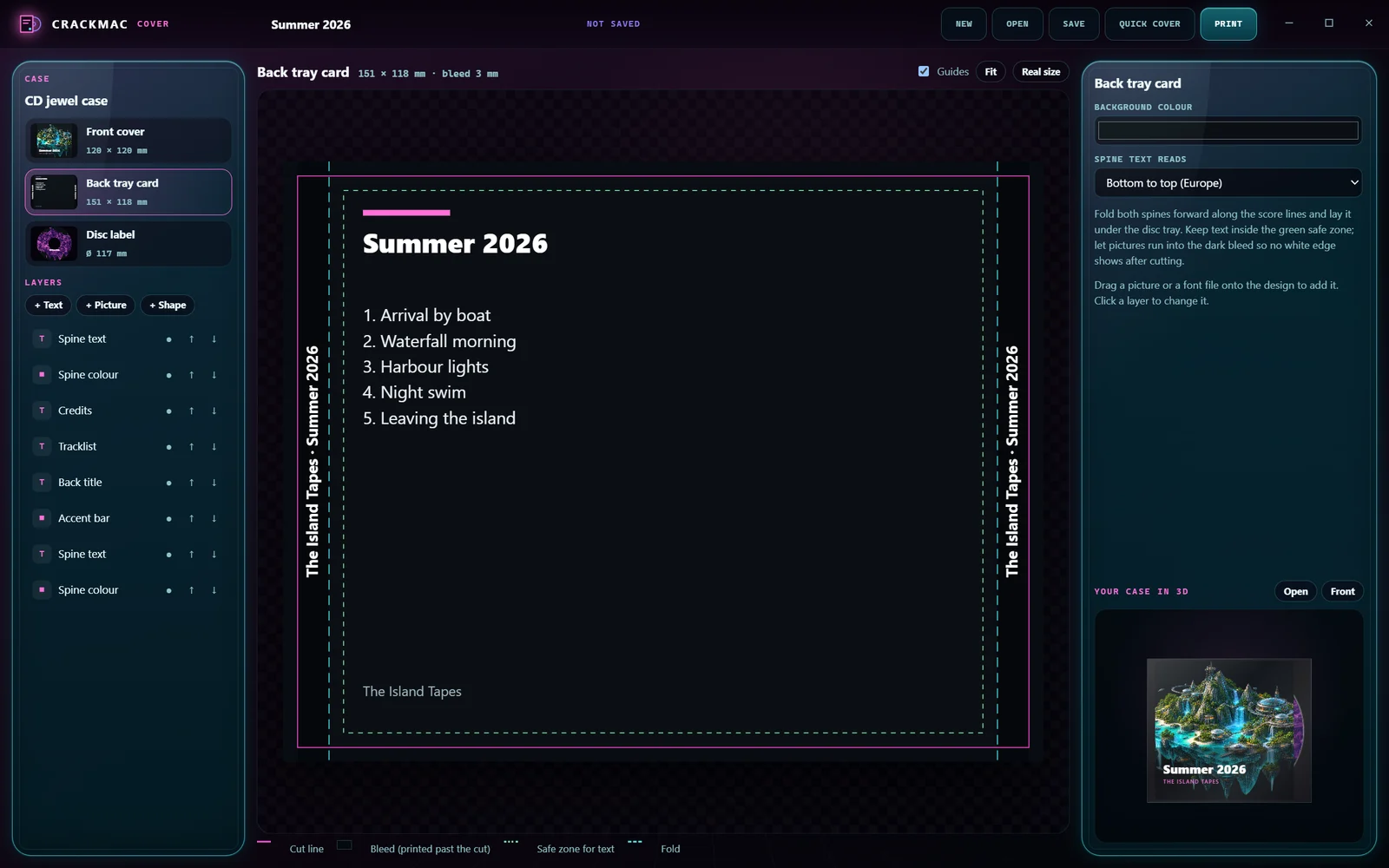
  • CD jewel caseFront cover, back tray card with both spines, and the disc label.Since 0.1.0
  • CD with a bookletA 4-page booklet, outside and inside, instead of a single front.Since 0.1.0
  • CD slim caseFront cover and disc label.Since 0.1.0
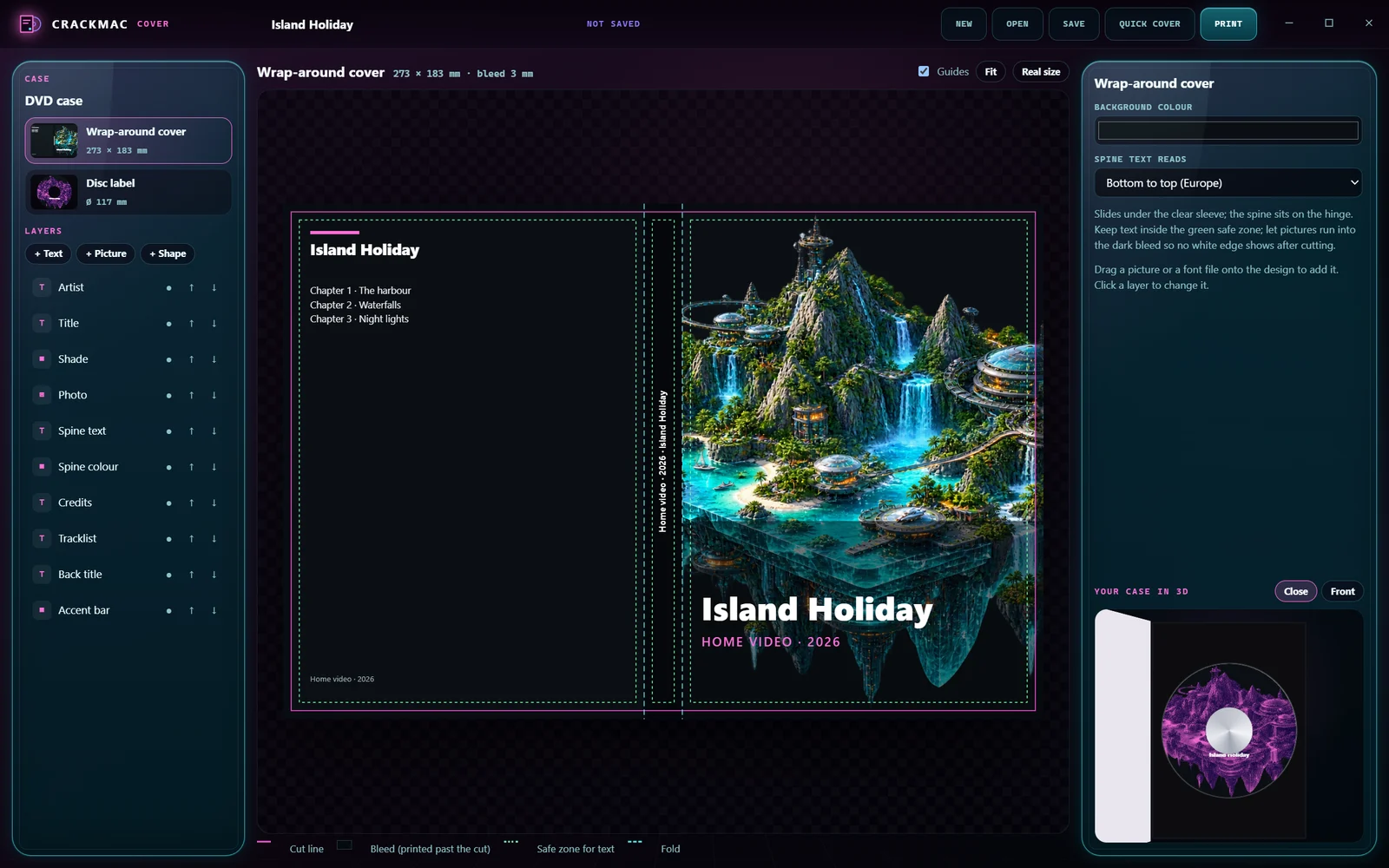
  • DVD caseOne wrap-around cover with back, spine and front, and the disc label.Since 0.1.0
  • Blu-ray case NewThe standard Blu-ray keep case wrap with front, spine and back.
  • CD paper sleeve NewA sleeve you cut along the printed outline and fold; no case needed.

Designing

  • Quick coverA photo, a title and a tracklist become a first design for every part.Since 0.1.0
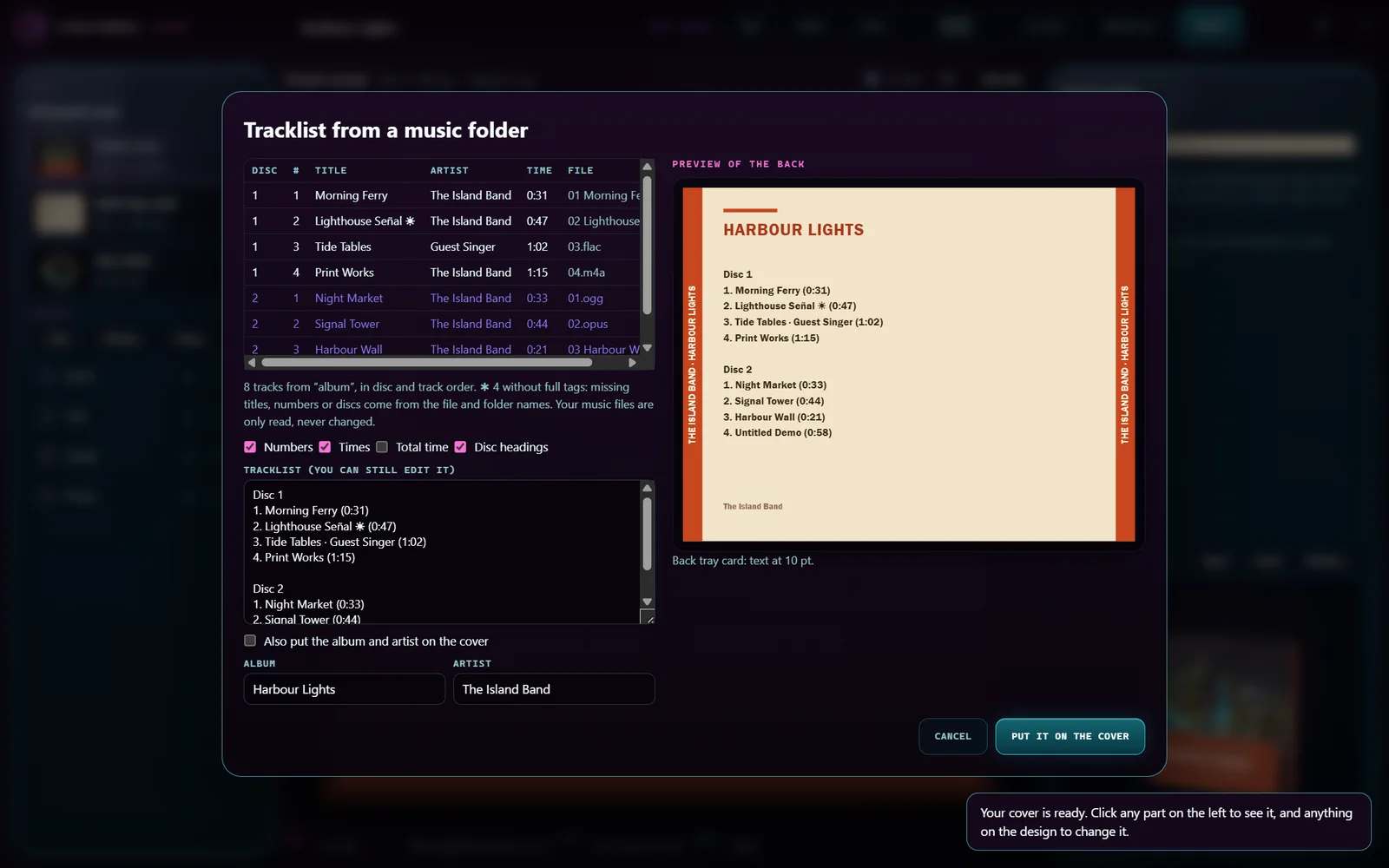
  • Tracklist from your music NewReads titles, numbers, discs and playing times from a folder of music files, with a preview first. The files are only read.
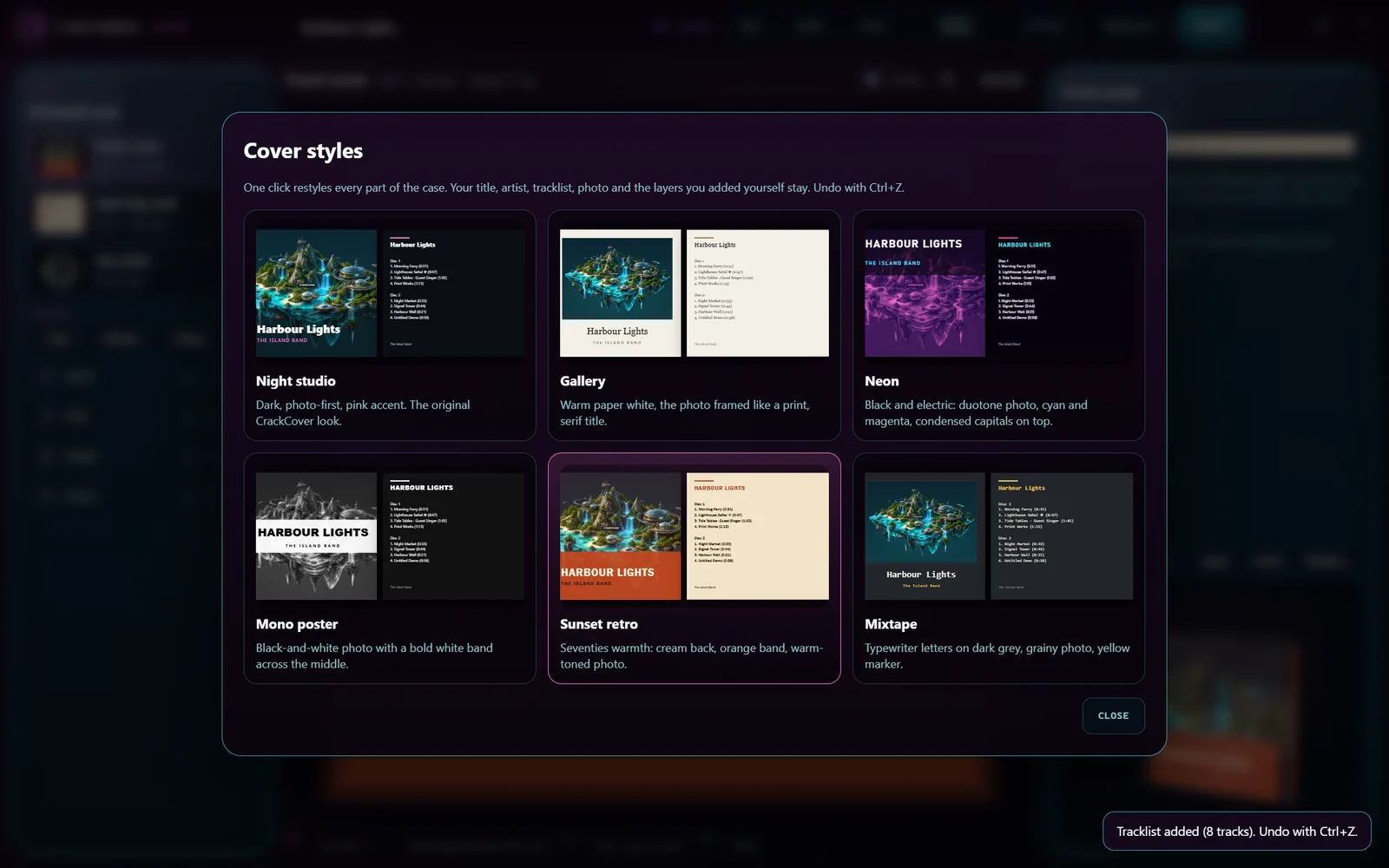
  • Cover styles NewSix ready-made looks for the whole case in one click; your texts and photo stay.
  • Text, pictures and shapesDrag, resize and arrange them; they snap to the cut line, folds, safe zones and centres.Since 0.1.0
  • Spine text that fitsTurns the right way (bottom to top or top to bottom) and shrinks to fit the strip.Since 0.1.0
  • Picture looksBlack and white, warm, duotone and film grain.Since 0.1.0
  • Your fontsEvery font on your PC, plus TTF, OTF and WOFF files you add.Since 0.1.0
  • Undo and redoStep back through every change.Since 0.1.0

Seeing it

  • Live 3D caseTurn the case, open the lid and see the disc in the tray.Since 0.1.0
  • GuidesCut line, bleed, safe zone for text and folds, shown on every part.Since 0.1.0
  • Picture of the case NewSave the front, back, spine and disc as a PNG or JPEG to share.

Printing

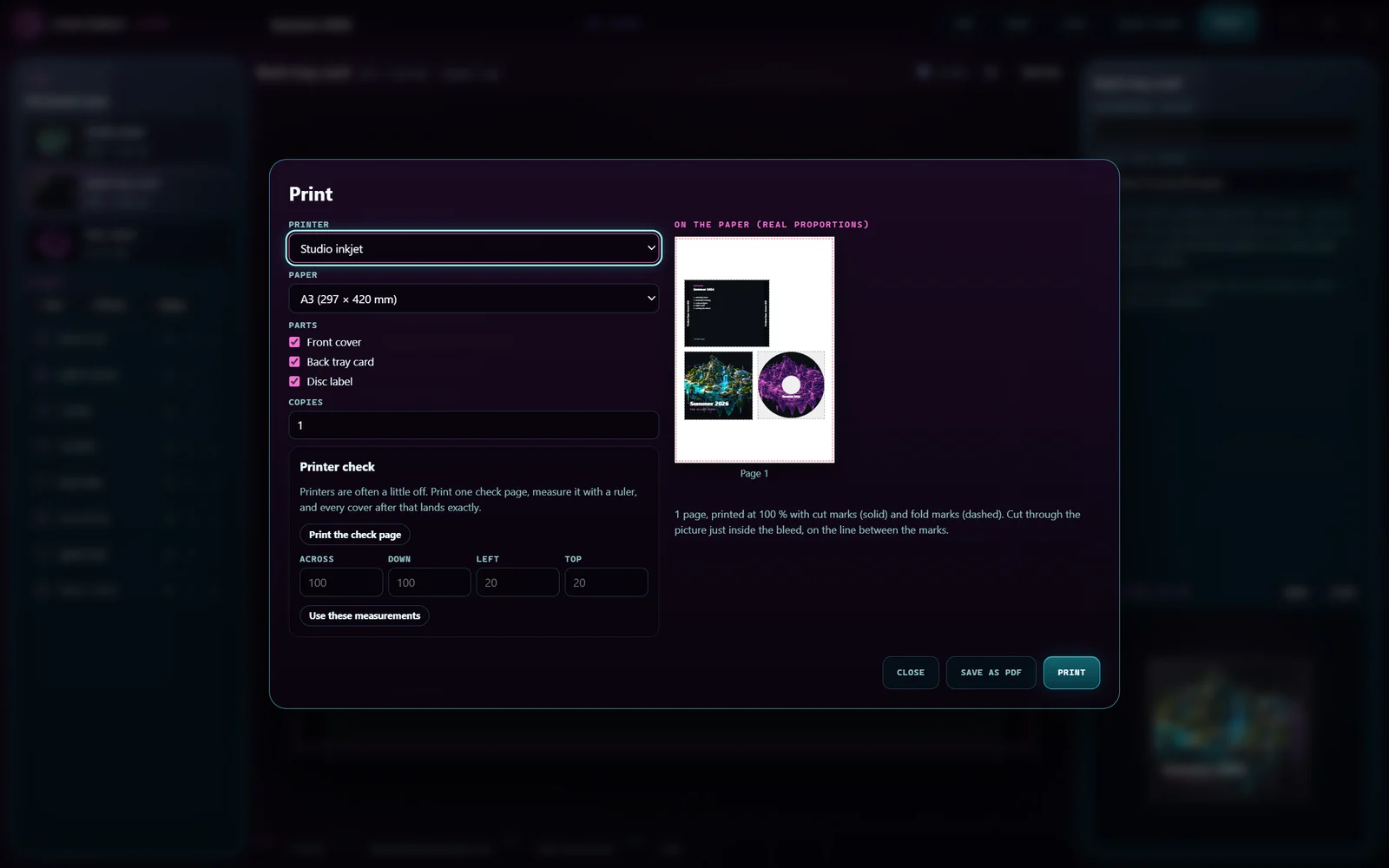
  • Exactly 100 %Never "fit to page": parts print at their real size on A4, US Letter or A3.Since 0.1.0
  • Cut and fold marksSolid marks to cut on, dashed marks to fold on, outside the design.Since 0.1.0
  • Printer checkMeasure one test page once; that printer then prints to the millimetre.Since 0.1.0
  • Booklets two-sidedThe inside prints on the back at the matching spot.Since 0.1.0
  • Print-ready PDFFor a print shop or another PC.Since 0.1.0

Your projects

  • One fileA .crackcover project keeps the design, pictures and fonts together.Since 0.1.0
  • Opens anywhereDouble-click a project to open it; it works offline.Since 0.1.0

Patch notes

What changed lately.

The latest releases of CrackCover. Every release →

0.2.0Tracklists, styles and Blu-ray4 New1 Privacy
  • New

    Tracklist from a music folder: choose a folder and CrackCover reads the titles, artists, track and disc numbers and playing times from MP3, FLAC, M4A, Ogg, Opus and WAV files, in the right order.

    You see a preview first and can still edit the text. Missing tags come from the file and folder names (such as "CD 2"). Long lists can run in two or three columns.
  • New

    Cover styles: Night studio, Gallery, Neon, Mono poster, Sunset retro and Mixtape restyle the whole case in one click. Your title, tracklist, photo and own layers stay; Ctrl+Z undoes it.

  • New

    Picture of the case: save the front, back, spine and disc as one PNG or JPEG, on a dark, light or see-through background, up to 6000 pixels wide.

  • New

    New cases: Blu-ray case (269 × 148 mm wrap with a 12 mm spine) and a CD paper sleeve that prints with its outline to cut along and dashes to fold on.

  • Privacy

    Your music files are only read, never changed or moved.
0.1.0First release7 New
  • New

    Covers for CD jewel cases (front, back tray card with both spines, disc label), CD with a 4-page booklet, CD slim cases and DVD cases.

    Standard sizes in millimetres: jewel front 120 × 120, tray card 151 × 118 with 6.5 mm spines, DVD wrap 273 × 183 with a 14 mm spine, disc label 117 mm.
  • New

    Quick cover: a photo, a title, an artist line and a tracklist become a first design for every part of the case.

  • New

    Design with text, pictures and shapes that snap to the cut line, folds, safe zones and centres; spine text turns the right way and shrinks to fit; undo and redo.

  • New

    Your own fonts and every installed font; pictures and fonts are kept inside the project, so it opens on another PC.

  • New

    A live 3D case next to the design: turn it, open the lid and see the disc.

  • New

    Printing at exactly 100 % on A4, US Letter or A3 with cut and fold marks, parts placed for you; the booklet inside prints on the back at the matching spot.

    Or save a print-ready PDF for a print shop.
  • New

    Printer check: print one page, measure two rulers and a corner, and CrackCover corrects that printer from then on.

Before you start

What you need.

Windows 10 or 11, 64-bit
A printer, or a print shop for the PDF
A free CrackMac account to download it; CrackCover itself works offline
Updates Install and update through the CrackMac Launcher, which shows when a newer version is available.

Available now

Version 0.2.0

Download the CrackMac launcher to get CrackCover.